
One provider, one point of failure
Most businesses run email, calendars, chat, video calls, files and documents from a single big tech provider. It feels simple until that provider has a bad day. Then everything stops at once: nobody can email a customer, open a contract, message a colleague or join a call.
This keeps happening. In July 2024 one faulty security update crashed millions of Windows computers worldwide, grounding flights and closing tills. In October 2025 a fault in a single Amazon Web Services region took thousands of apps and websites offline for most of a day. Businesses that relied on one platform had no fallback.
A diverse stack spreads that risk. Your email can live with one host, your chat with another and your files on a third, with documents saved on your own machines. Because they all speak open standards, each piece can move independently if a host lets you down.
Moving beyond licence fees
Big tech software is rented per person, per month, and the price tends to go one way. Add a member of staff and the bill grows. Need one premium feature for one person and you can end up upgrading everyone.
- No per-seat licencesThe software is free to use. You pay for hosting, support and expertise, which do not grow with every new starter.
- No forced upgradesYou choose when to upgrade, and old files keep opening because the formats are open standards.
- Spend stays localYour money goes on people and hosting you can talk to, often here in the UK, instead of a licence to a distant vendor.
- Nothing to buy your way out ofIf you ever want to leave us too, your data and your software come with you.
Sovereign technology
Sovereign technology means you decide where your data lives, who can reach it and which rules it falls under. With hosted big tech services those choices are made for you, and terms, prices and features can change overnight.
In one line: open source puts the off-switch, the data and the decisions back in your hands. Nobody can raise your price, change your terms or lock you out of your own files.
You don't have to host it yourself
Owning your stack doesn't mean running servers in a cupboard. Email, chat, video calls, file sharing and design tools are all offered as managed services by independent hosting companies, many of them based in the EU and working under GDPR, away from US cloud giants. We help you choose the right providers for each service, set everything up and move your data across.
- EU-based providersWe help you choose hosts in the EU for each service, judged on where your data is kept, the support they give and the price.
- Hosted by usOr we run it for you, and keep it updated, backed up and monitored.
- On your own serversIf you want full control, we set it up on hardware or cloud space you own and show your team how to look after it.
- A mix of all threeSpreading services across providers is exactly what keeps one outage from taking everything down.
Proven alternatives to big tech
None of these are experiments. Each is mature, widely used and actively developed. Every screenshot below is the real software, from our own test installs or the project's public demo.
mailcow, with SOGo
Instead of Microsoft 365 or Google Workspace email
mailcow (opens in a new tab) is a complete, self-hosted email server: mailboxes, spam filtering, aliases and an admin panel in one package. It comes with SOGo (opens in a new tab), a webmail, calendar and contacts app your team can use in the browser. Phones and desktop mail apps connect with the standard IMAP, CalDAV and CardDAV protocols, so Outlook, Thunderbird and the iPhone Mail app all keep working.
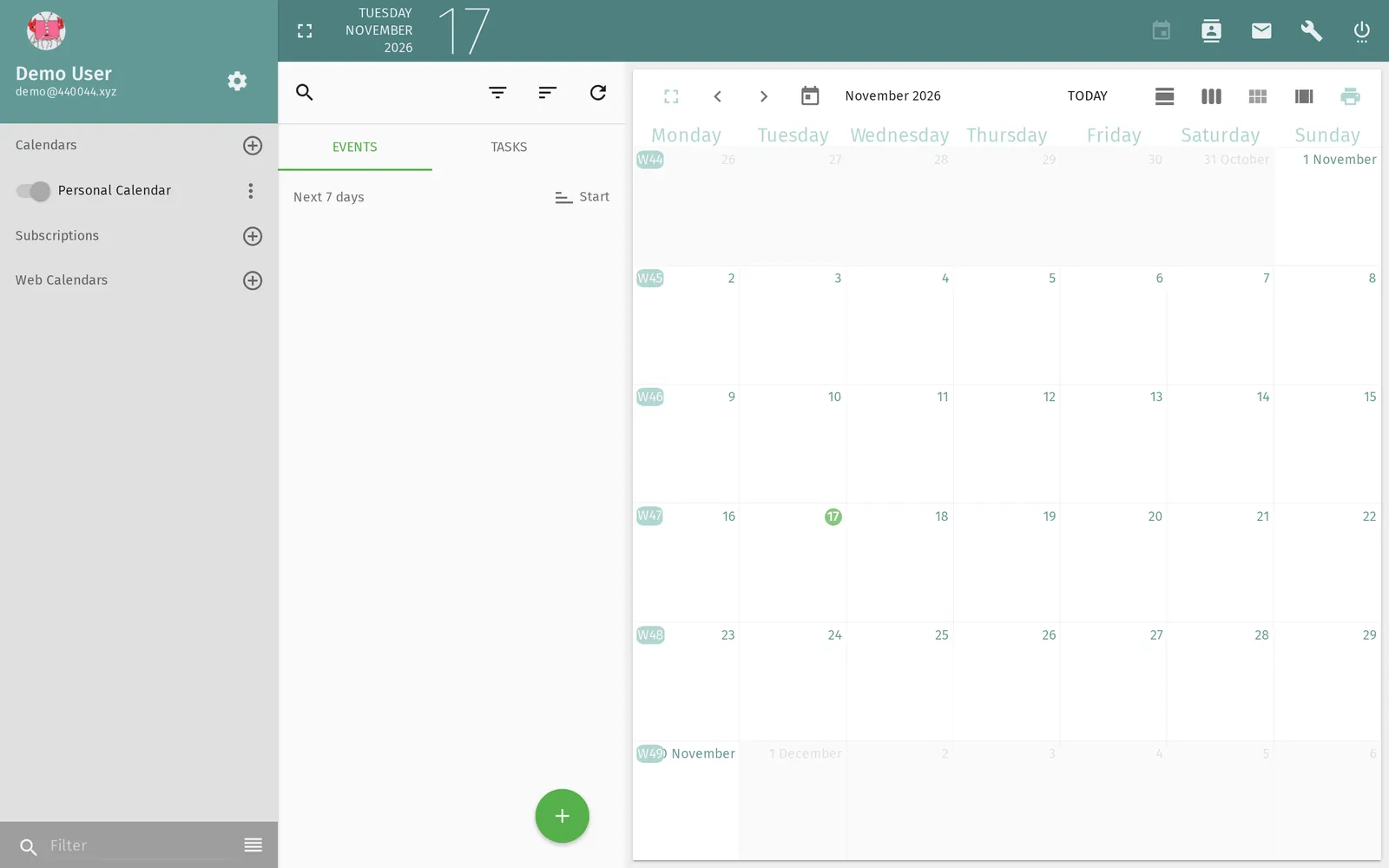
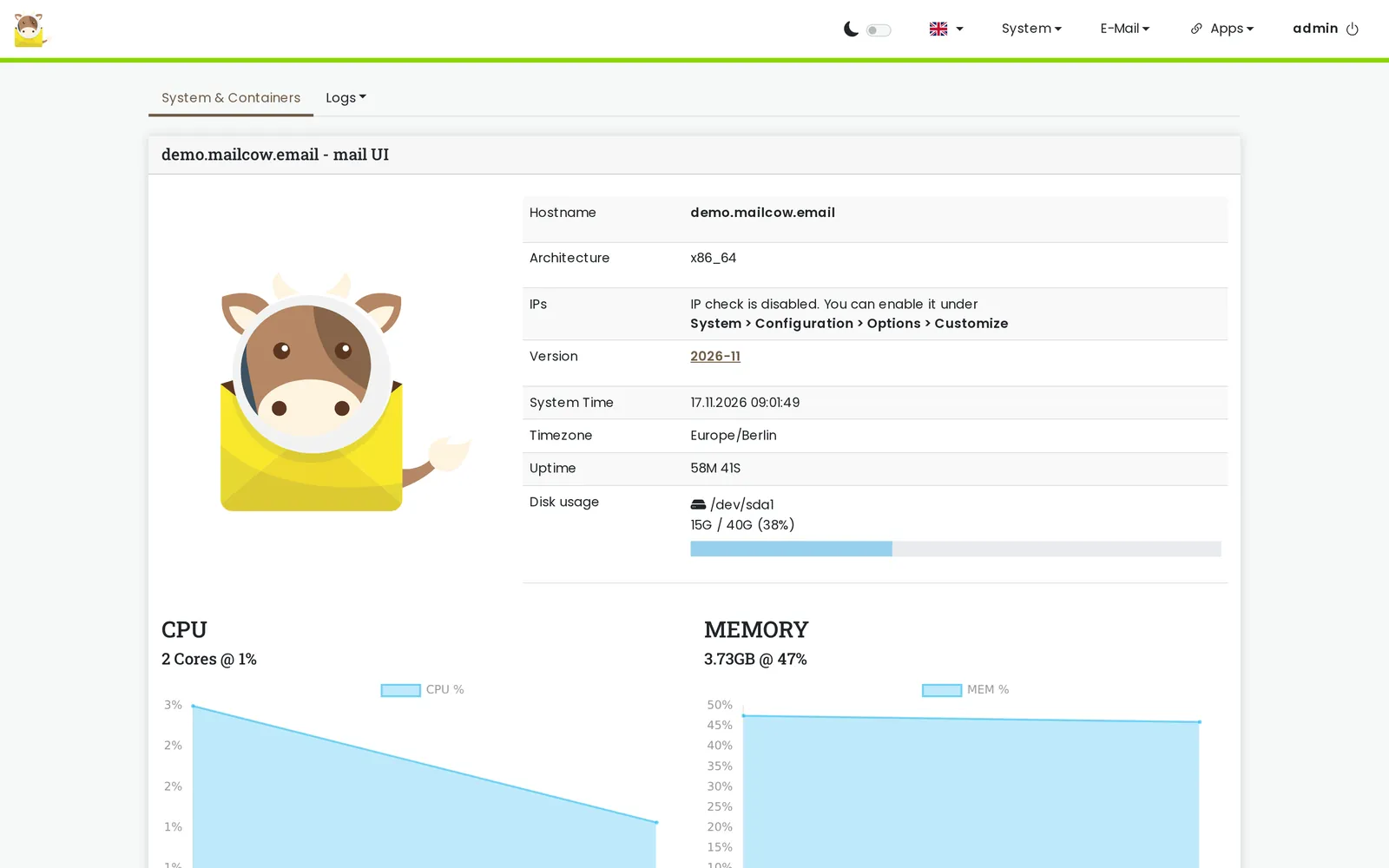
mailcow.email (opens in a new tab) Documentation (opens in a new tab) Source code (opens in a new tab) SOGo (opens in a new tab)
How we help: we set up mailcow, your domains and DNS, then copy every mailbox, folder, calendar and contact across from your current provider before you switch over.
Element, on Matrix
Instead of Slack or Microsoft Teams
Element (opens in a new tab) is team chat with rooms, direct messages, threads, file sharing and voice and video calls. It runs on Matrix (opens in a new tab), an open standard for secure messaging with end-to-end encryption. Your server can talk to other Matrix servers too, so you can chat with partners and suppliers without everyone signing up to the same company.
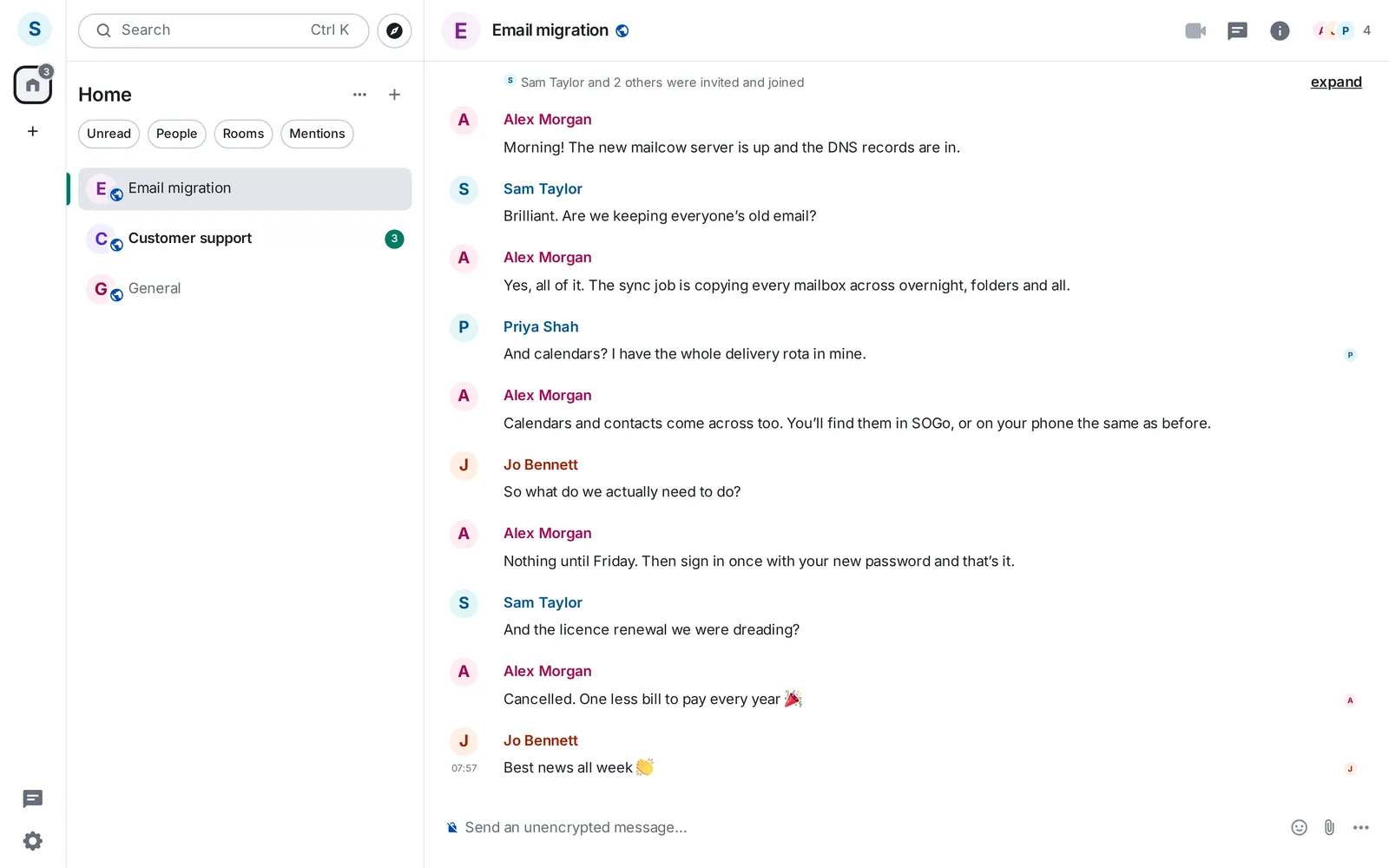
element.io (opens in a new tab) matrix.org (opens in a new tab)
How we help: we run your Matrix server, set up rooms to match how your team works, and get Element onto every desktop and phone.
Jitsi Meet
Instead of Zoom, Teams meetings or Google Meet
Jitsi Meet (opens in a new tab) is video conferencing that runs in the browser, with nothing for guests to install and no accounts to create. Share a link and people join, with screen sharing, chat, hand raising, breakout rooms and a lobby for anyone you want to let in yourself. Desktop and mobile apps are there for those who want them, and calls run on your own server instead of someone else's.

jitsi.org (opens in a new tab) Source code (opens in a new tab)
How we help: we host Jitsi Meet on your own domain, tune it for the number of people on your calls, and link it to your calendars so every invite gets a meeting link.
Nextcloud
Instead of Google Drive, OneDrive or Dropbox
Nextcloud (opens in a new tab) keeps your files in one shared place, synced to every laptop and phone. Share a folder with a colleague or send a client a link, with passwords and expiry dates if you need them. It can also edit documents in the browser and add calendars, contacts and video calls when you want them.
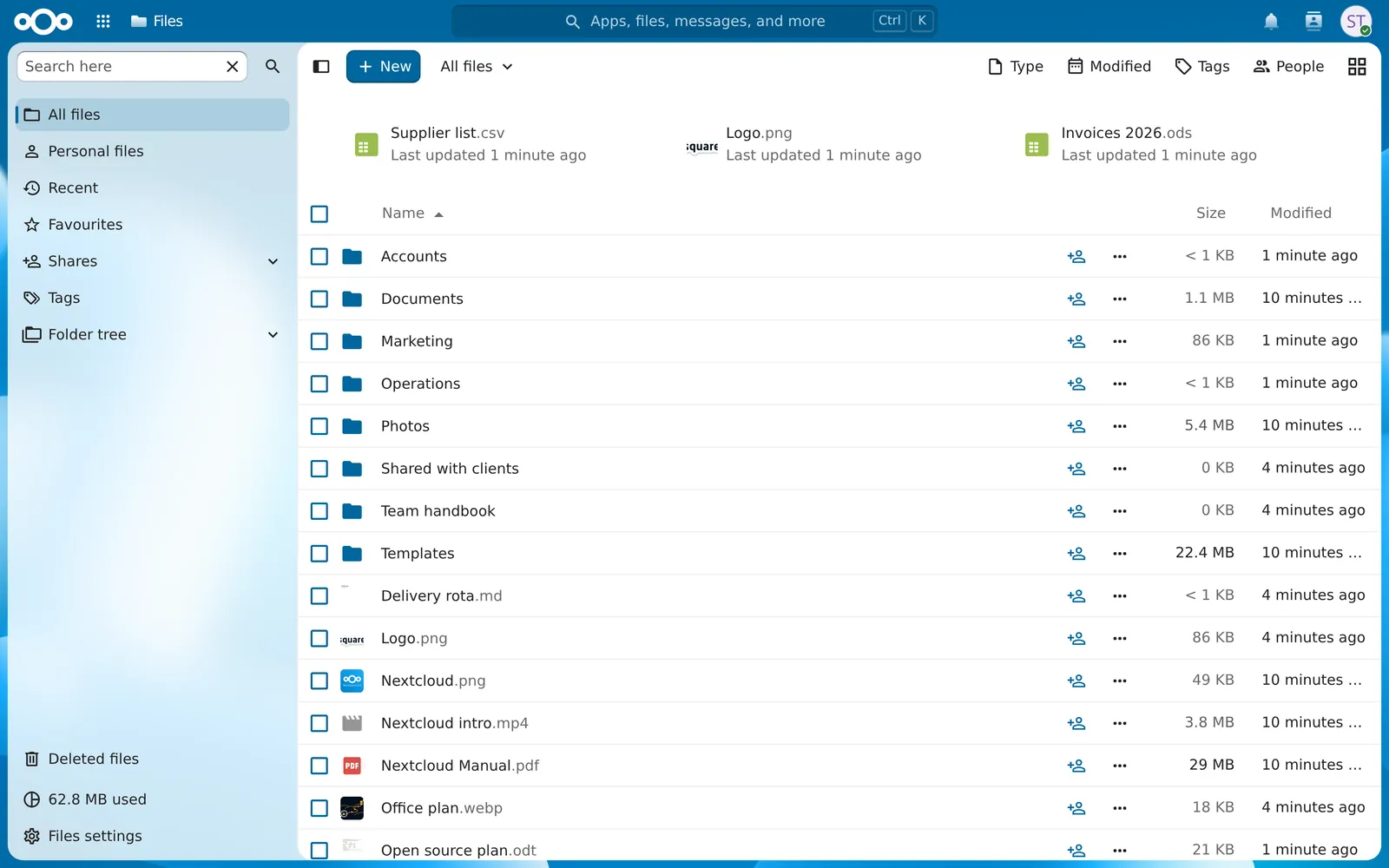
nextcloud.com (opens in a new tab)
How we help: we host Nextcloud, move your shared drives across with their folders and permissions, and install the sync app for everyone.
LibreOffice
Instead of Microsoft Office
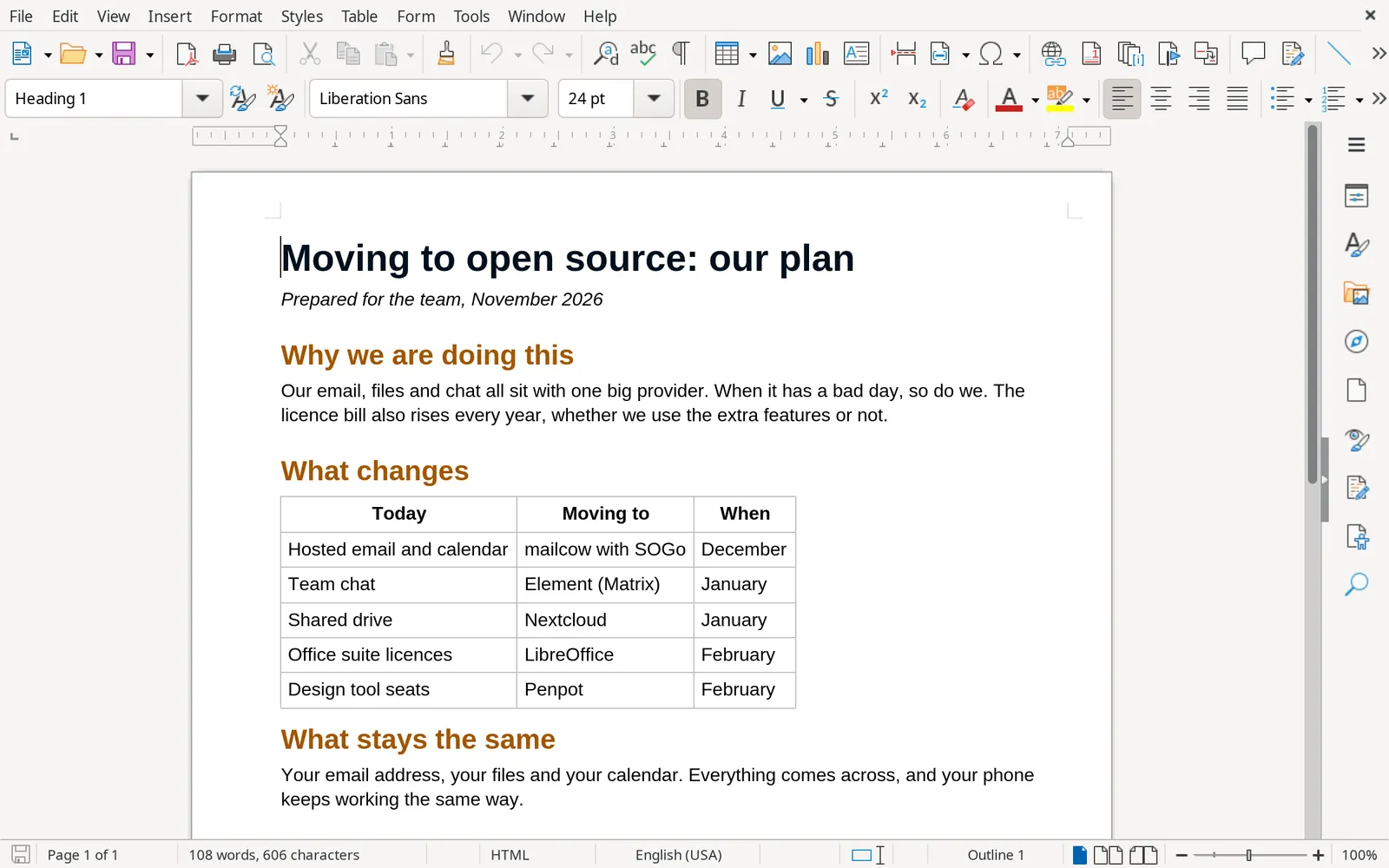
LibreOffice (opens in a new tab) is a full office suite: Writer for documents, Calc for spreadsheets, Impress for presentations and more. It is free on Windows, Mac and Linux, opens and saves Word, Excel and PowerPoint files, and uses OpenDocument, an international standard, as its own format. Your documents will still open in twenty years.
libreoffice.org (opens in a new tab)
How we help: we roll LibreOffice out across your machines, set up your letterheads and templates, and check your important spreadsheets and documents come across cleanly.
Penpot
Instead of Figma
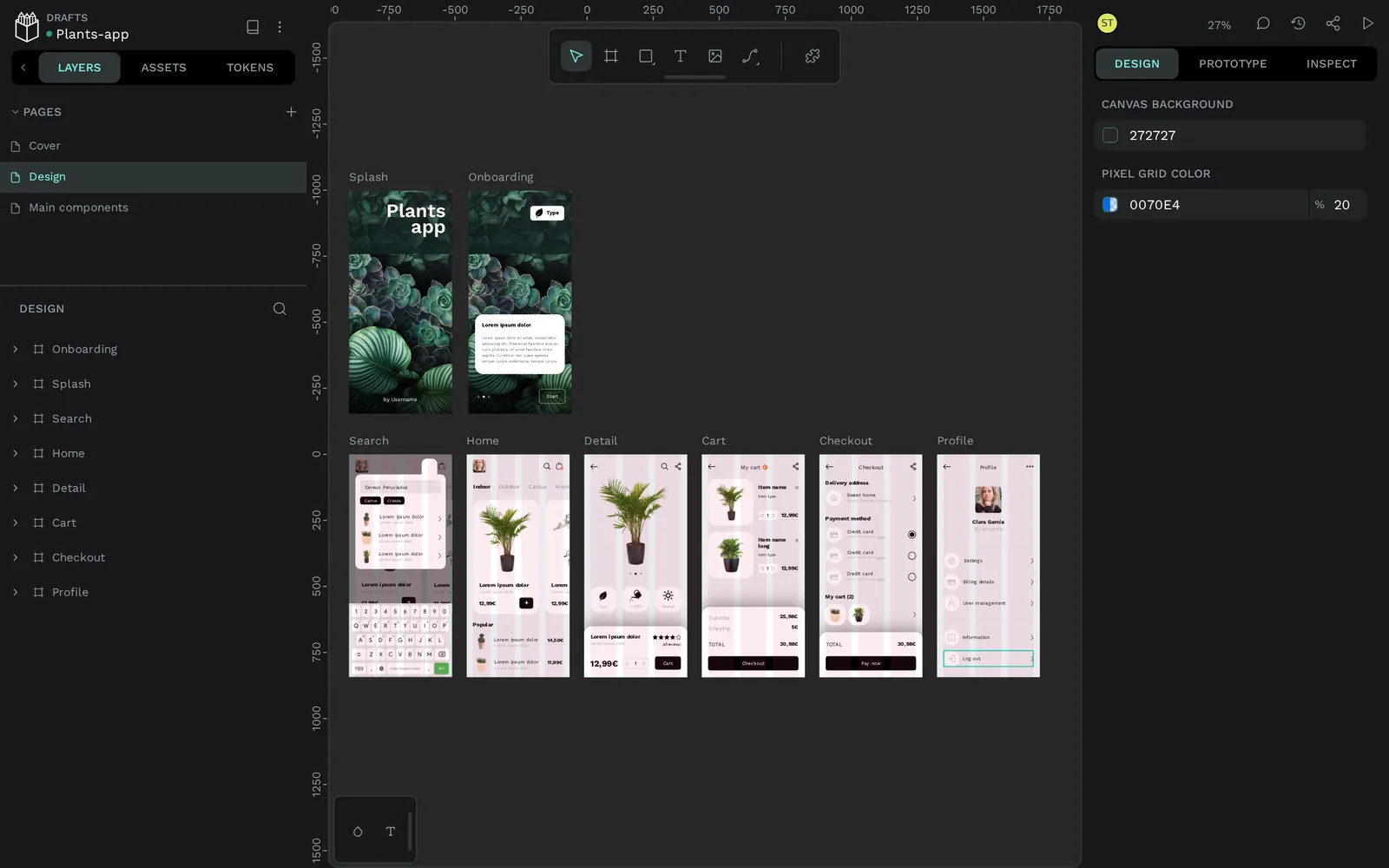
Penpot (opens in a new tab) is a design and prototyping tool that runs in the browser, for designers and developers working together. Designs are built from open web standards, SVG, CSS and HTML, so what a designer draws is close to what a developer ships. You can use Penpot's own cloud or host it yourself.
penpot.app (opens in a new tab)
How we help: we host Penpot for your team, set up your projects and shared libraries, and help bring your existing designs across.
How SquareCows migrates and runs it
Moving away from big tech should not mean becoming your own IT department. We do the heavy lifting, then keep it running.
- Look at what you useWe map your current tools, who uses what, and where the cost and risk sit. You get a plain report with a recommended order of moves.
- Plan the moveOne service at a time, starting where the win is biggest and the risk is lowest. Nothing changes until you are happy with the plan.
- Migrate, with nothing left behindWe copy your email, calendars, contacts, files and chat history across, then switch over at a quiet moment.
- Run it, or find who shouldWe can host, update, back up and monitor everything ourselves, or help you pick EU-based providers for each service. Either way, we are on hand when someone needs help.
You can mix and match. Keep what works, move what does not, and spread services across hosts so no single failure takes you offline. If you would rather run things yourself, we will hand it over with documentation and training.
Our own open source work
We do not just recommend open source, we build it. These are some of the things we have made and shared.
OmniMem
Free to self-host Memory for your AI tools
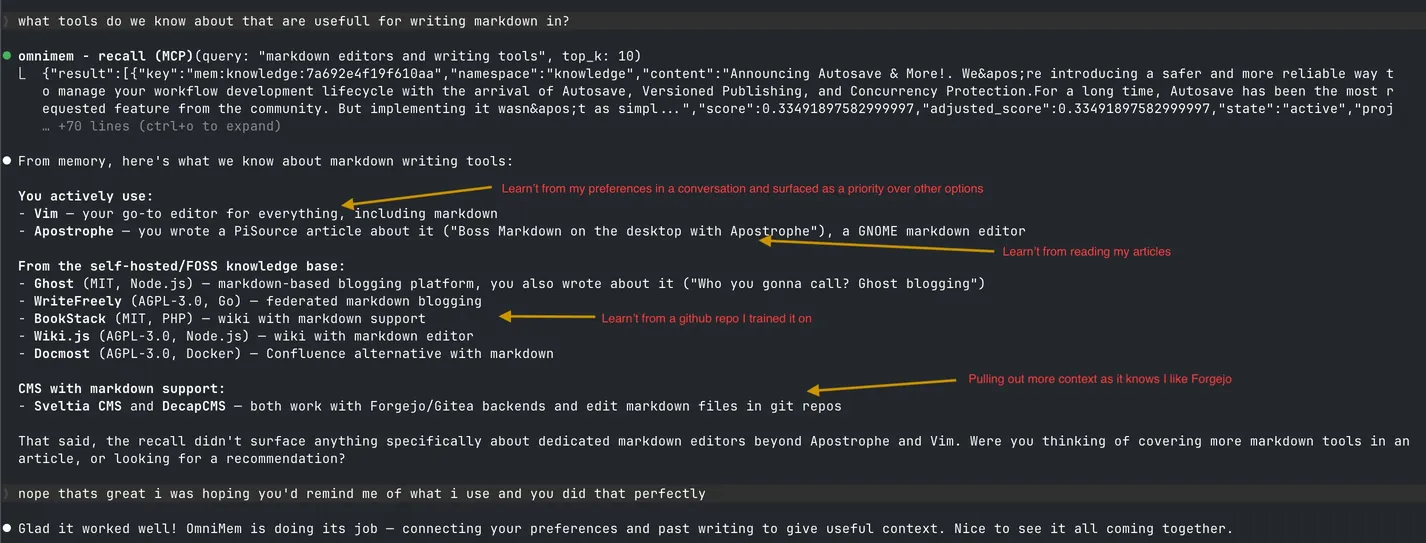
OmniMem gives AI assistants a long-term memory that you host yourself. It remembers your preferences, decisions and past work across sessions, and serves it to any assistant that speaks MCP, so your knowledge stays on your servers instead of inside one AI vendor.
BufferedTV
Free and open source Instead of YouTube's apps
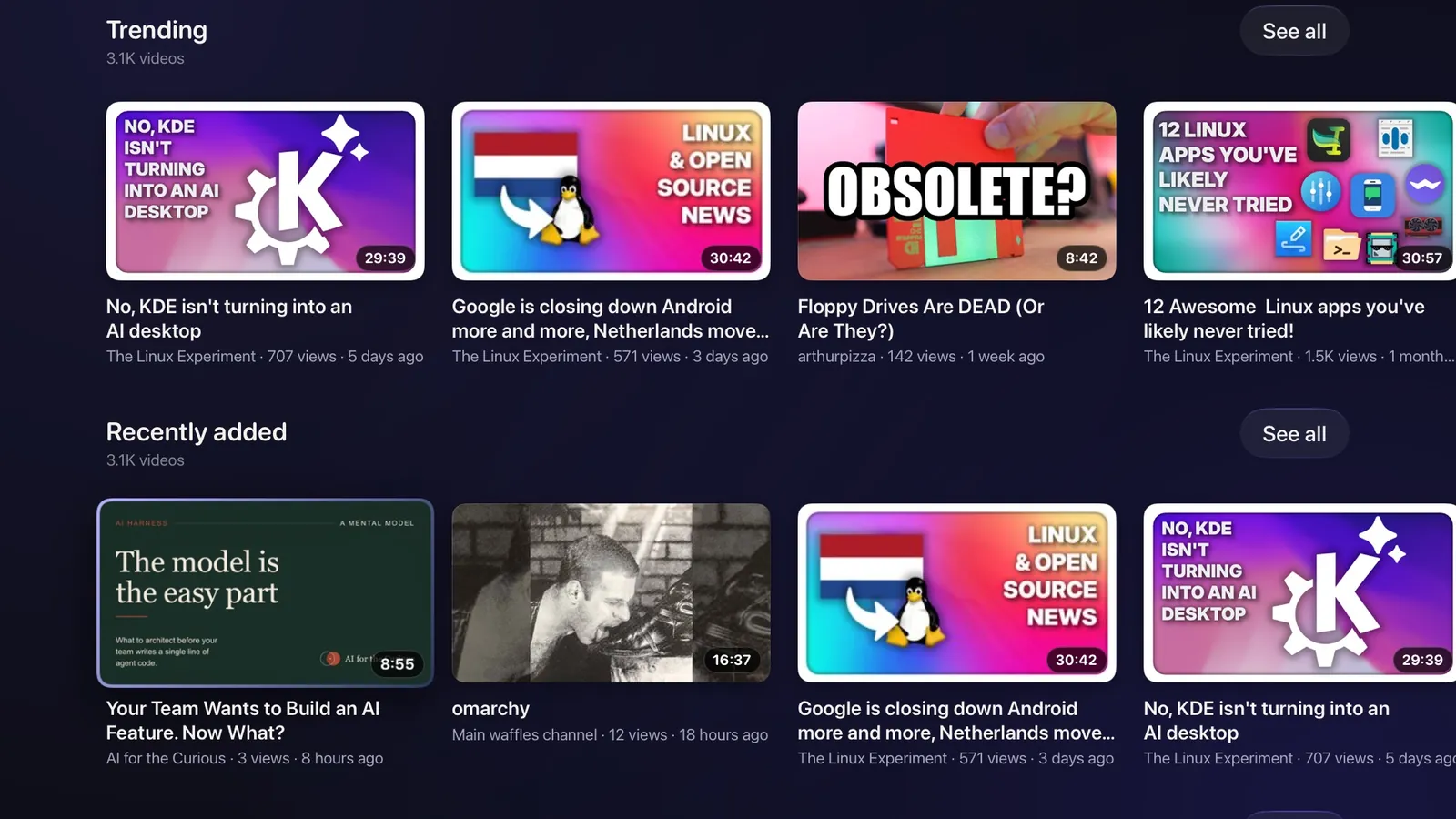
BufferedTV is a family of apps for watching PeerTube (opens in a new tab), the open video network that nobody owns. Anyone can run a PeerTube server, and BufferedTV brings them all to the big screen and your pocket: Apple TV, iPhone and iPad, Android, Google TV and the Linux desktop.
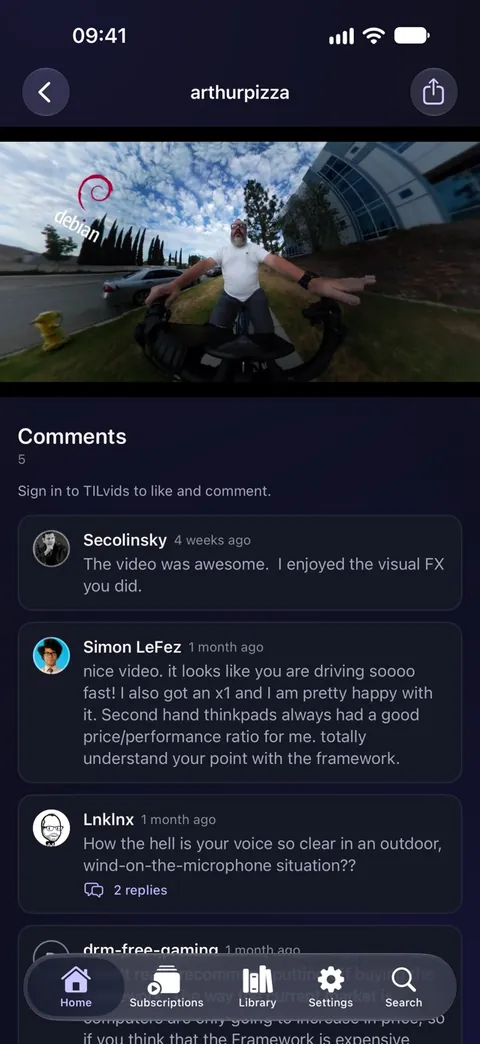
buffered.tv (opens in a new tab) Apple TV source (opens in a new tab) iPhone and iPad source (opens in a new tab) Android source (opens in a new tab) Linux source (opens in a new tab)
BufferedTV Studio
Built by us For PeerTube creators
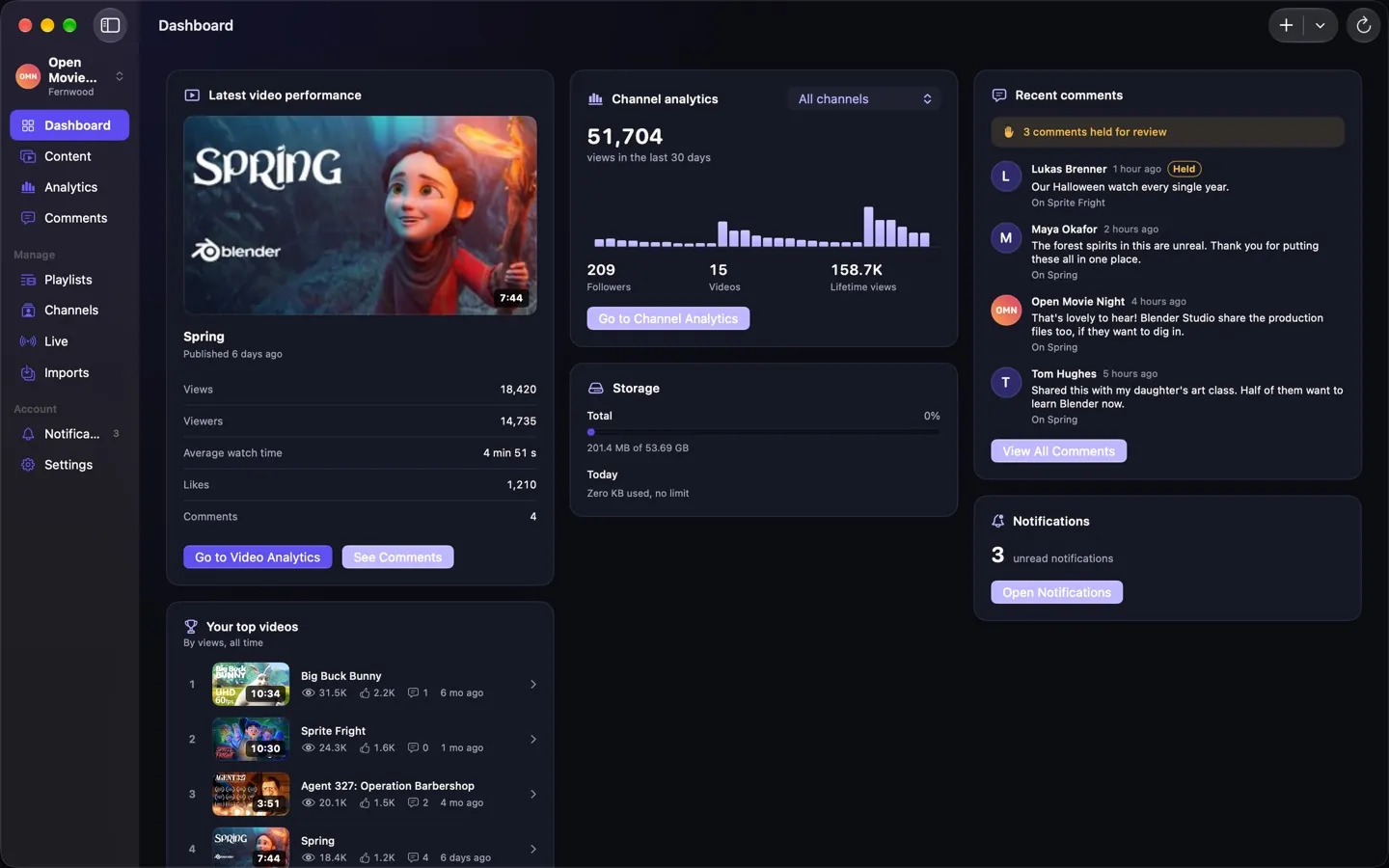
BufferedTV Studio is a creator studio for PeerTube on iPhone, iPad and Mac. Upload videos with subtitles written on the device, read your analytics, answer comments and even run a live stream from the control room, all on a video platform that you or your community own.
We also publish free MCP servers and Agent Skills. You will find them all on our code server (opens in a new tab), which, naturally, runs on open source too.